Skip to Content
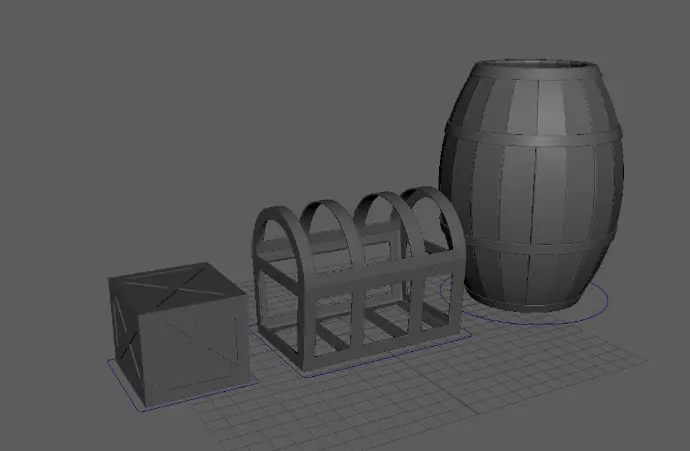
Plate 1: Starter Pack: 3D Game Props

Plate 1: Starter Pack: 3D Game Props

During this course, you will gain an in-depth understanding of 3D Modeling techniques and principles, specifically utilizing Autodesk Maya, which will serve as a strong foundation for your future projects in the field.


General Objectives

  1. Learn the basic of the Maya Interface
  2. Create basic objects and navigate around the 3D space
  3. Learn and practice how to use the manipulators

Specific Objectives

  1. Extrude
  2. Frame an element or objects
  3. Channel box
  4. Outliner 
  5. Orthographic Views
  6. Shading 
  7. Zoom, Pan, Orbit
  8. Scale, Rotate and Position
Responsible Dan Vincent Caneo
Last Update 09/18/2025
Completion Time 2 hours 3 minutes
Members 49
Basic 3D Modeling & Texturing
  • Chapter 1: Box Crate
    5Lessons · 51 min
    • Introduction
    • Ch01- Lesson 01: Box and Planks
    • Ch01- Lesson 02: Duplicate Special
    • Ch01- Lesson 03: Tool Settings
    • Ch01- Lesson 04: Groupings Using Curve
  • Chapter 2: Barrel
    6Lessons · 43 min
    • Ch02- Lesson 01: Curve
    • Ch02- Lesson 02: Duplicate Special Planks
    • Ch02- Lesson 03: Planks Around the Curve
    • Ch02- Lesson 04: Soft Select
    • Ch02- Lesson 05: Bend
    • Ch02- Lesson 06: Rings and Crease Editor
  • Chapter 03: Treasure Chest
    5Lessons · 29 min
    • Ch03- Lesson 01: Subdivisions
    • Ch03- Lesson 02: Extrude Tool
    • Ch03- Lesson 03: Custom Shelf
    • Ch03- Lesson 04: Append to Polygon
    • Ch03- Lesson 05: Cover & Lattice