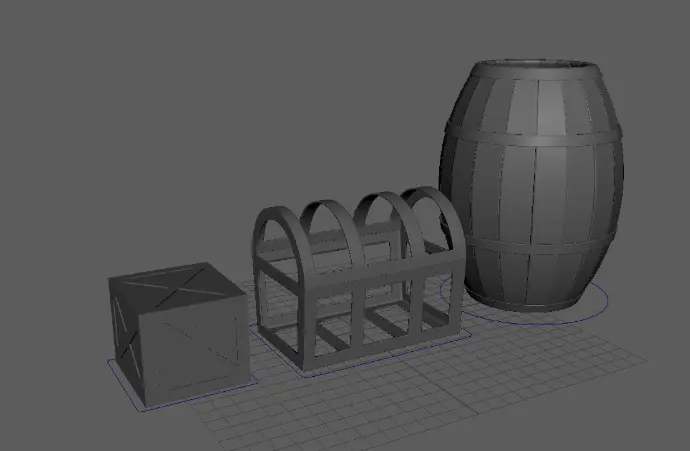
Plate 1: Starter Pack: 3D Game Props
During this course, you will gain an in-depth understanding of 3D Modeling techniques and principles, specifically utilizing Autodesk Maya, which will serve as a strong foundation for your future projects in the field.
General Objectives
- Learn the basic of the Maya Interface
- Create basic objects and navigate around the 3D space
- Learn and practice how to use the manipulators
Specific Objectives
- Extrude
- Frame an element or objects
- Channel box
- Outliner
- Orthographic Views
- Shading
- Zoom, Pan, Orbit
- Scale, Rotate and Position
| Responsible | Dan Vincent Caneo |
|---|---|
| Last Update | 09/18/2025 |
| Completion Time | 2 hours 3 minutes |
| Members | 49 |
Basic
3D Modeling & Texturing
-
Chapter 1: Box Crate5Lessons · 51 min
-
Introduction
-
Ch01- Lesson 01: Box and Planks
-
Ch01- Lesson 02: Duplicate Special
-
Ch01- Lesson 03: Tool Settings
-
Ch01- Lesson 04: Groupings Using Curve
-
-
Chapter 2: Barrel6Lessons · 43 min
-
Ch02- Lesson 01: Curve
-
Ch02- Lesson 02: Duplicate Special Planks
-
Ch02- Lesson 03: Planks Around the Curve
-
Ch02- Lesson 04: Soft Select
-
Ch02- Lesson 05: Bend
-
Ch02- Lesson 06: Rings and Crease Editor
-
-
Chapter 03: Treasure Chest5Lessons · 29 min
-
Ch03- Lesson 01: Subdivisions
-
Ch03- Lesson 02: Extrude Tool
-
Ch03- Lesson 03: Custom Shelf
-
Ch03- Lesson 04: Append to Polygon
-
Ch03- Lesson 05: Cover & Lattice
-